
Print-at-home tickets are PDF e-tickets delivered by email or downloadable from your ticketing account, and the move to make right now is simple: find that PDF and print it on plain 8.5×11 paper before you do anything else. Before you buy, double check the event page to confirm print-at-home is actually the delivery method, since some shows have shifted to mobile-only entry.
TL;DR:
- Confirm the event’s delivery method before buying, as many now prefer mobile-only tickets with dynamic barcodes that cannot be copied or screenshotted.
- Use Adobe Acrobat Reader to print your PDF tickets at 100% scale on plain white paper, avoiding gloss or creases to ensure they scan properly at the gate.
- Re-download the ticket and try “Print as image” if the barcode looks distorted, and always print one backup copy kept separate from the original.
- Arrive early, bring both the printed ticket and a photo ID, and verify entry procedures in advance to prevent delays or issues at the door.
- Check organizers’ pre-event instructions and confirmation emails carefully, as assumptions about printing or transfer options often cause avoidable problems.
Table of Contents
- 1. Find, download, and print your ticket PDF
- 2. If printing fails or you forgot to print, here’s what to do
- 3. Why many events prefer mobile-only tickets and what that means for you
- 4. Printer settings and habits that keep your ticket scannable
- 5. What organizers want you to know on event day
- 6. What actually matters when it comes to print-at-home tickets
- Grab your tickets and gear straight from us
- FAQ
- Sources
- Official help-center pages and organizer guides
1. Find, download, and print your ticket PDF
Once your order goes through, the PDF usually lands in one of two places. Check the confirmation email first, since the tickets often arrive as an attachment or a link straight to the download. If you don’t see it there, log into your account on the ticketing site and look for a “My Tickets” section, where the files sit ready for download anytime before the event.
Here’s the process that gets you a clean, scannable ticket every time:
- Open the PDF in Adobe Acrobat Reader rather than a browser preview, since browser viewers sometimes distort the barcode.
- Check the print preview before sending it to the printer.
- Set the print scale to 100% or “actual size,” never “fit to page,” which can shrink or shift the barcode.
- Print on plain white 8.5×11 paper, one copy per ticket.
- Print a backup copy and keep it somewhere separate from your main copy, just in case.
According to the official Ticketmaster help center, print-at-home PDFs are generally not accessible through mobile apps, so you’ll need a desktop or mobile web browser to pull up the file. That detail trips up a lot of people who assume the app will handle everything. It won’t, so plan to print from a laptop or desktop before you head out the door.
If you’re juggling tickets alongside flights, hotel bookings, and other confirmations for a trip, a tool like Tineo can pull those emails into one organized timeline, which saves you from digging through your inbox the morning of the show.
2. If printing fails or you forgot to print, here’s what to do
Printer problems happen, and so does forgetting entirely. Neither one has to ruin your night.
- Re-download the PDF from your account or email and save it locally before trying to print again.
- If sections of the ticket look blank or distorted, open the file in Adobe Acrobat Reader and select “Print as image” under advanced printer settings, a fix that resolves most rendering glitches according to Ticketmaster’s print-at-home guide.
- Head to box office or will call with a photo ID and your order confirmation. Staff can usually look up your purchase by name, according to venue print-at-home guidance.
- Ask a friend to transfer the ticket into an official app account if mobile transfer is available for that event.
Arrive a little early if you’re going the box office route, since lines build fast right before doors open.
Pro Tip: Only the first scan of a barcode usually admits entry, so don’t print extra copies “just in case.” Duplicates can get flagged and refused at the gate.
3. Why many events prefer mobile-only tickets and what that means for you
Printed tickets carry a static barcode, and that’s exactly what makes them easier to copy or screenshot than organizers would like. Ticketmaster has rolled out mobile tickets built around live, dynamic barcode elements and screenshot blocking, part of a push to reduce fraud and improve entry at the gate. A barcode that refreshes or changes can’t be copied and reused the way a printed one sometimes can.
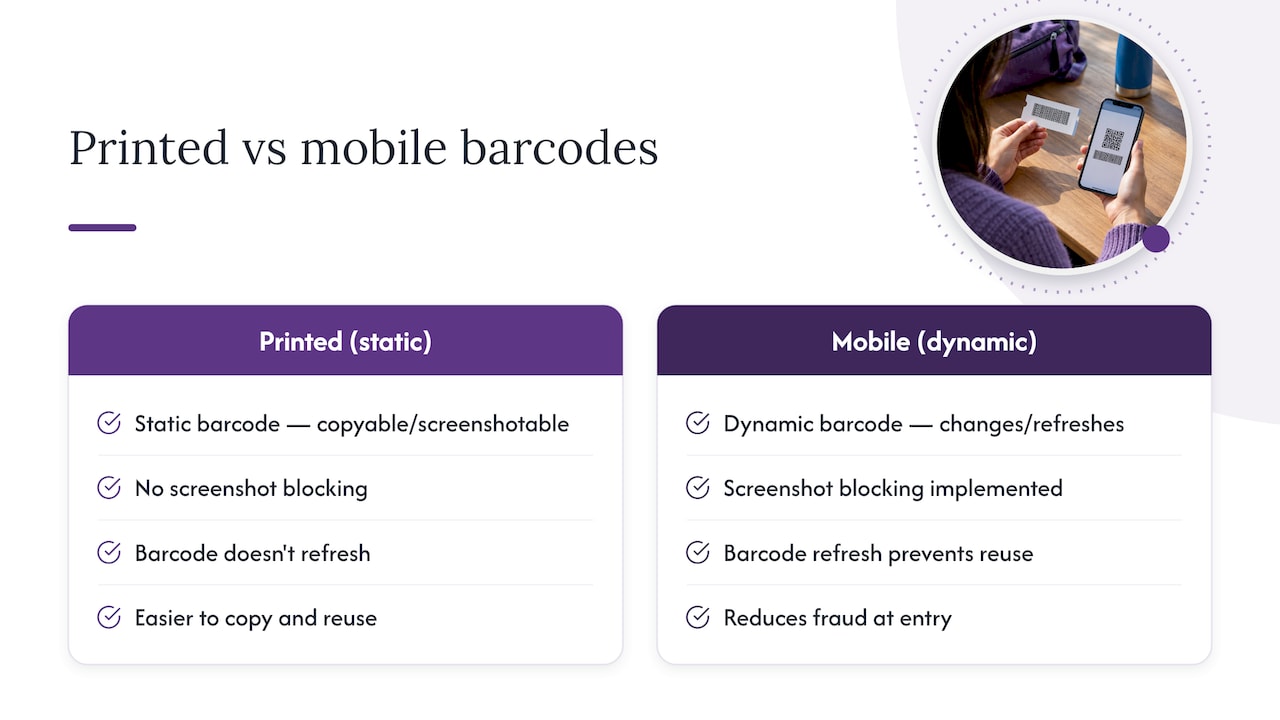
That shift matters for you because some events now skip print-at-home entirely. Before you buy, check the event page or the ticketing platform’s help center to confirm whether printing is even an option. If an event delays barcode release until close to showtime, which some organizers do specifically to cut down on fraud, you may still have transfer options or will call as a backup.
None of this means printed tickets are obsolete. Plenty of events, especially smaller or independent shows, still rely on them happily. It just means you shouldn’t assume your delivery method until you’ve actually checked it.
4. Printer settings and habits that keep your ticket scannable
A scanner needs a flat, high-contrast barcode to do its job, and a few sloppy printing habits are the most common reason tickets get rejected at the door.
- Print on plain white 8.5×11 paper, never glossy stock, which can create glare that confuses scanners.
- Keep the barcode flat and uncreased. Folding your ticket in half right through the code is a common mistake.
- Set your printer to 300 dpi or higher if that option exists in your print settings.
- Confirm the print scale is 100% or “actual size” before printing, the same rule from the download step but worth repeating here since it’s the most frequent cause of scan failures.
- If something still looks off after printing, reopen the PDF in Adobe Reader and try “Print as image” before you print again.
Pro Tip: Bring both the printed ticket and the original order confirmation email on your phone. If the paper copy has an issue, staff can often verify your purchase from the email alone.
5. What organizers want you to know on event day
Most organizers spell out delivery method and entry requirements directly in their pre-event emails and on the event page itself, so that’s the first place to look if you’re unsure whether you’re holding a print-at-home ticket or a mobile-only one.
From our side of running events, the advice is pretty consistent: print a backup copy, arrive earlier than you think you need to, and keep your photo ID and order confirmation handy. These small habits cut down on the kind of entry delays that put a damper on an otherwise good night. For readers heading to our own shows, our parking, transit, and entry guide for 400 Degreez walks through exactly what to expect before doors open.
6. What actually matters when it comes to print-at-home tickets
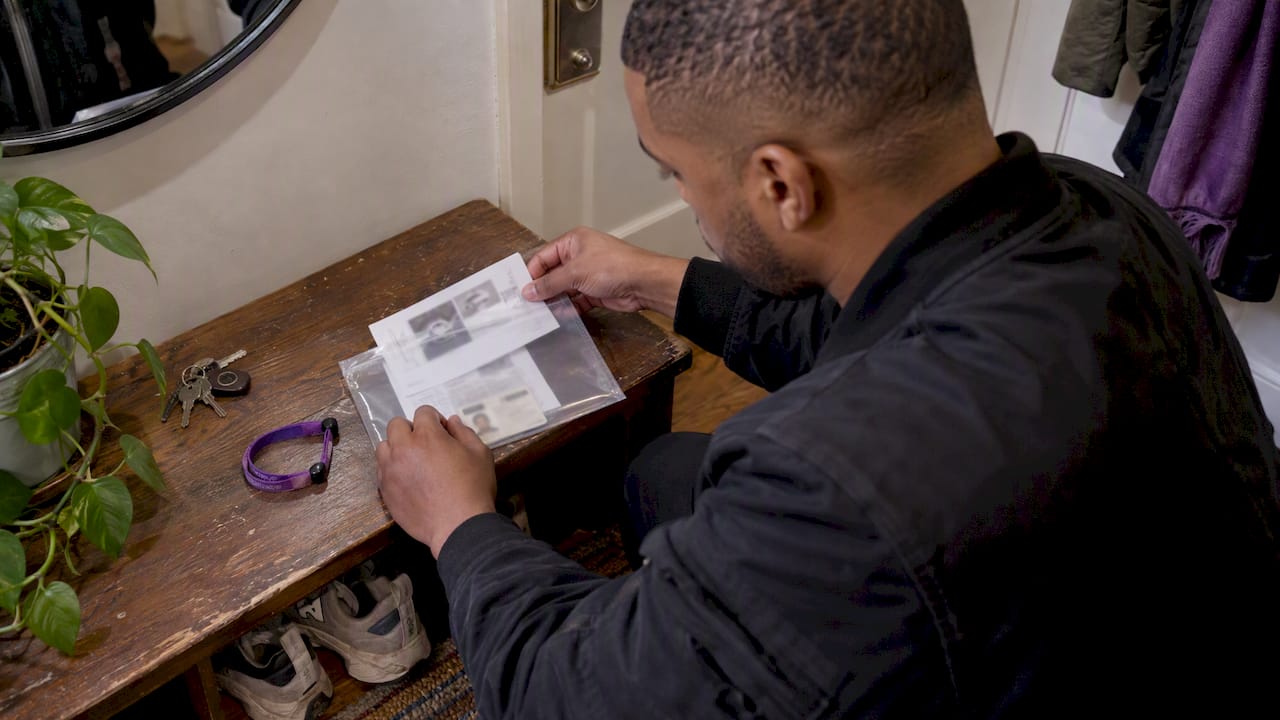
Most advice on this topic obsesses over printer settings, and while scale and paper type matter, they’re not where people actually lose time at the gate. The bigger issue is assumption: showing up without confirming delivery method, or printing the night before without a backup plan if something goes wrong.
The organizers who do this well tell you plainly, in the confirmation email, exactly how your ticket will arrive and what to do if it doesn’t. The ones who don’t leave you guessing between a PDF, an app, and a will call window. If there’s one thing worth prioritizing over perfect print quality, it’s reading that confirmation email the moment it lands, not the morning of the show.
Printed tickets aren’t going away, but they’re also not the default anymore. Treat the delivery method as something to verify, not assume, and you’ll skip most of the headaches this topic usually generates.
— Slappersnbangers@gmail.com
Grab your tickets and gear straight from us
Buying straight from the source is still the surest way to avoid fake tickets and mixed-up delivery methods. We keep our events page updated with everything on the calendar, including August SNB: 400 Degreez, and every listing tells you exactly how your ticket will reach you before you check out.

- Check our main events and merch page for the SNB 11th Anniversary celebration and current ticket availability.
- Browse New and Limited Edition Items, including the Draft Commemorative Tee, available through our merch and events hub.
- Always confirm delivery method on the event page before you buy, and buy direct from the official source rather than resale sites to keep your night simple.
FAQ
Does Ticketmaster still offer print-at-home tickets?
Print-at-home availability depends on the specific event, since many shows have moved toward mobile-only entry for security reasons. Check the Ticketmaster delivery options page or the event listing itself before you buy to confirm which method applies.
How do print-at-home tickets work?
You receive a PDF by email or download it from your ticketing account, then print it on plain white paper so the barcode scans at entry. Each barcode typically allows one valid scan, and organizers note that duplicate printed copies can be refused once the original has been scanned.
Can I print my own tickets at home?
Yes, as long as the event offers print-at-home as a delivery option, which you can confirm on the event page or order confirmation.
Can I download my e-ticket as a PDF?
In most cases, yes, either as an email attachment or through a “My Tickets” section in your account. According to Ticketmaster’s print-at-home support page, this download is usually available through a desktop or mobile web browser rather than the mobile app.
What do I do if my printed ticket won’t scan?
Try reopening the PDF in Adobe Reader and selecting “Print as image” under advanced settings, which fixes most display issues before you print again. If that doesn’t work, bring your photo ID and order confirmation to box office or will call, where staff can usually verify your purchase directly.
Sources
- What ticket delivery options does Ticketmaster offer?
- Ticketmaster’s new mobile ticket design: improving entry, reducing fraud, and enhancing the fan experience
- PAH Instructional Guide
Official help-center pages and organizer guides
For vendor-specific policies, start with the ticketing platform’s own help center and any organizer-issued print-at-home instructions for your specific event. These pages cover delivery timing, mobile ticket security, and box office procedures more precisely than general guides can.